

Description of changes from October 16, 2026
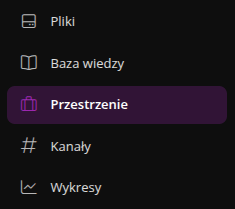
Projects are now called Spaces
Former Projects are now called Spaces. The new name applies across the entire application: in the menu, in space settings and access, in permissions, filters, notifications, emails, and in Help.
The Project Manager role is now called Manager.
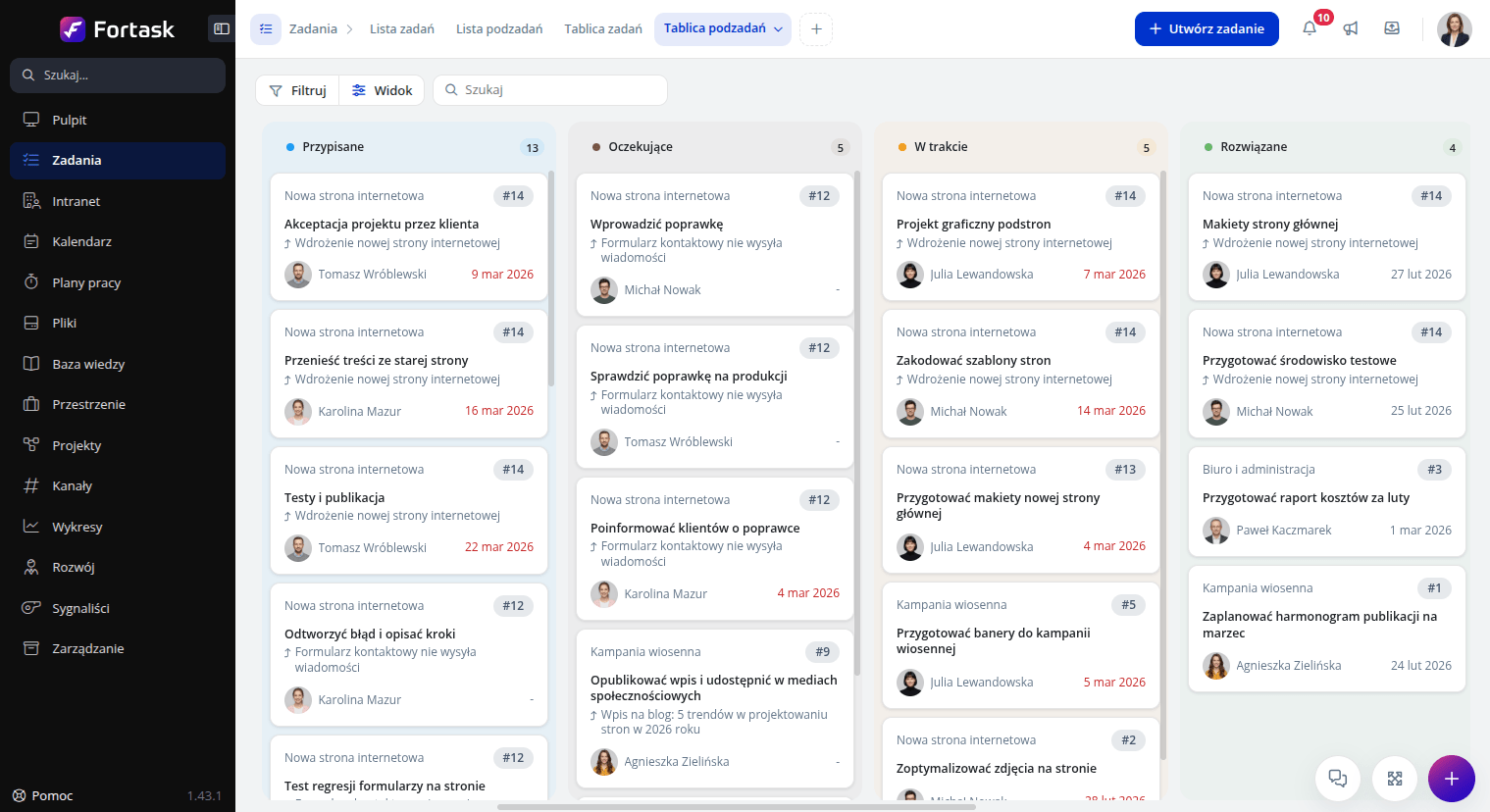
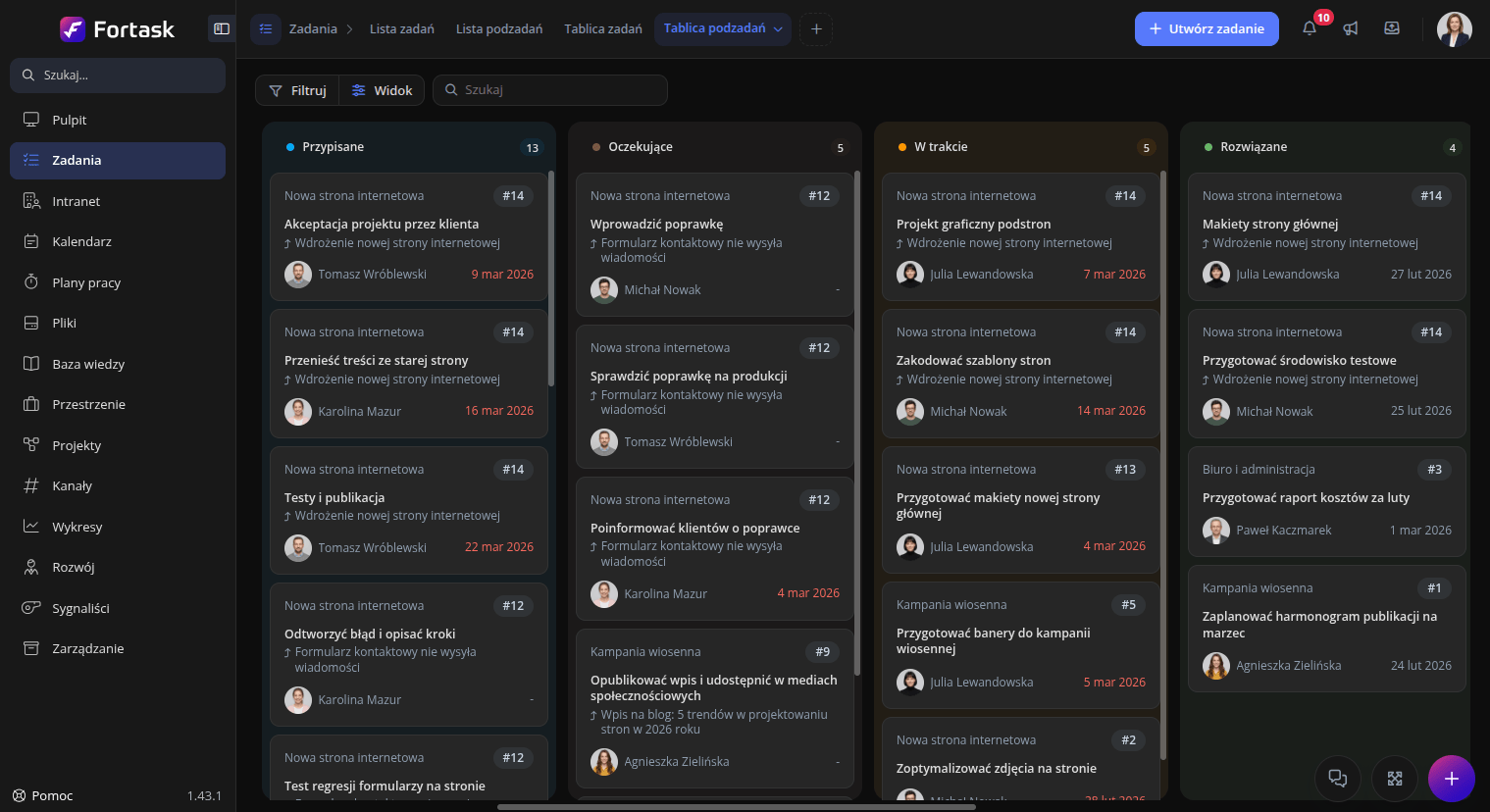
Refreshed look and feel of the application
We refreshed the look of the entire application. Colors, font sizes, shadows, tabs, buttons, kanban cards, and header icons have all been updated.
We also improved contrast and dark mode, and scrollbars now look consistent throughout the application.
New rich text editor
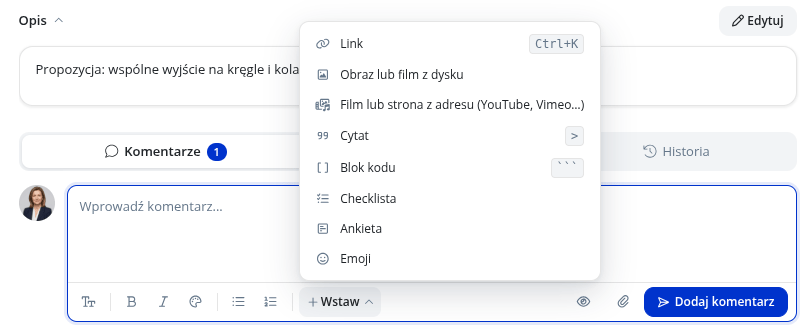
Task descriptions and comments now feature a new editor:
- a toolbar and a formatting bubble upon selecting text,
- a panel for inserting and editing links,
- quotes and code snippets as standalone blocks,
- Markdown shortcuts,
- user mentions.
The Insert menu allows adding images or videos from your drive, videos or web pages via URL (e.g., YouTube, Vimeo), emojis, checklists, and polls.
In automations, the editor suggests available variables and functions.
Checklists and polls in comments
You can insert an interactive checklist or poll into a task or subtask comment. Other users can check off items and vote, with changes visible immediately to everyone.
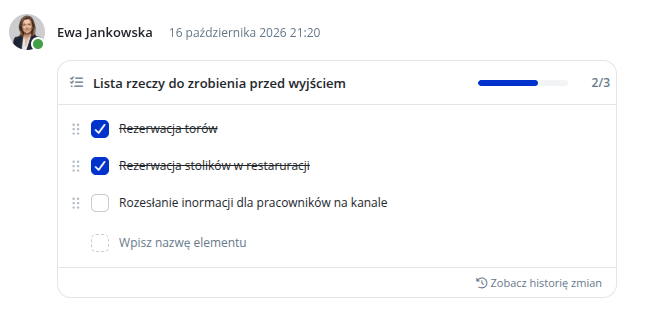
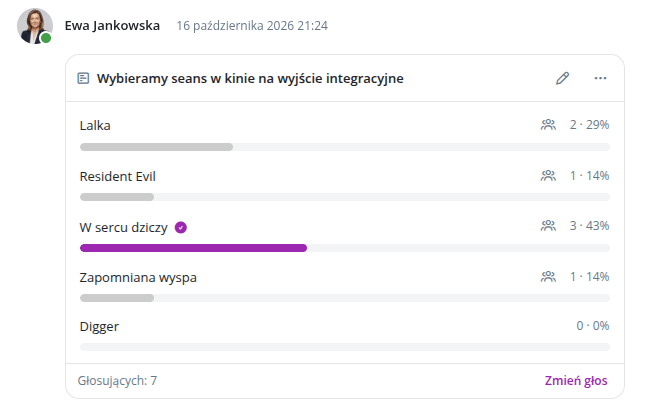
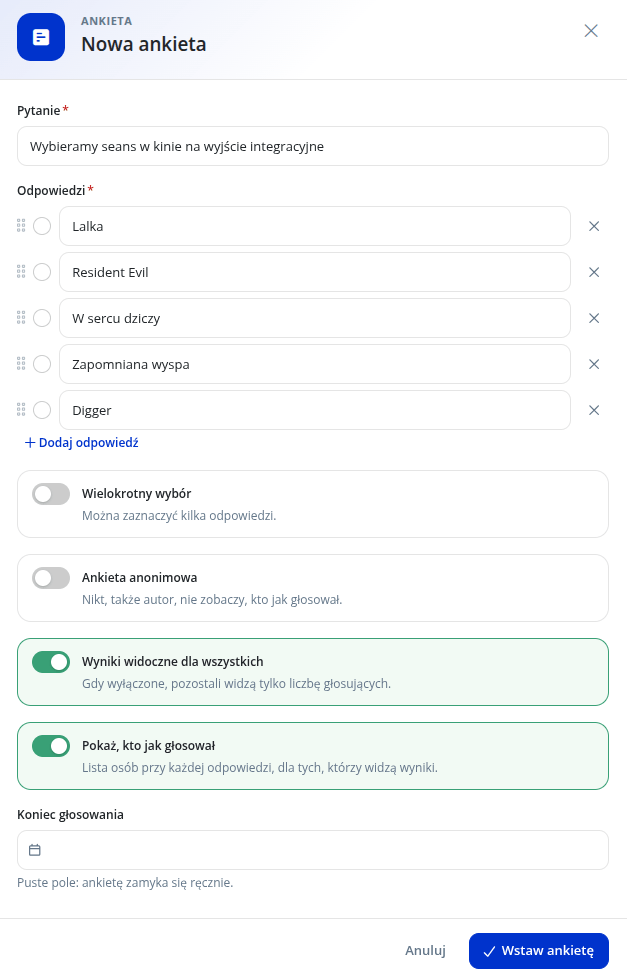
Each checklist and poll has its own revision history. We also added a new permission: Manage interactive elements.
Access requests
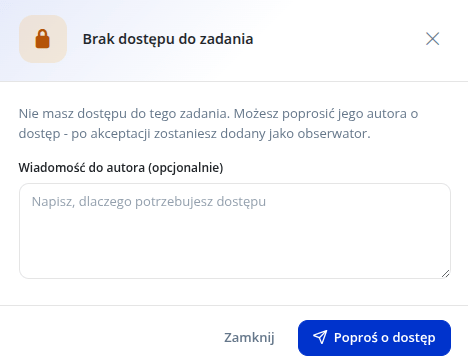
If you open a task or subtask you do not have access to, you can immediately send an access request to the task author.
The author can accept or decline the request directly from the notification. Upon acceptance, the requester is added to the task as an observer.
Charts
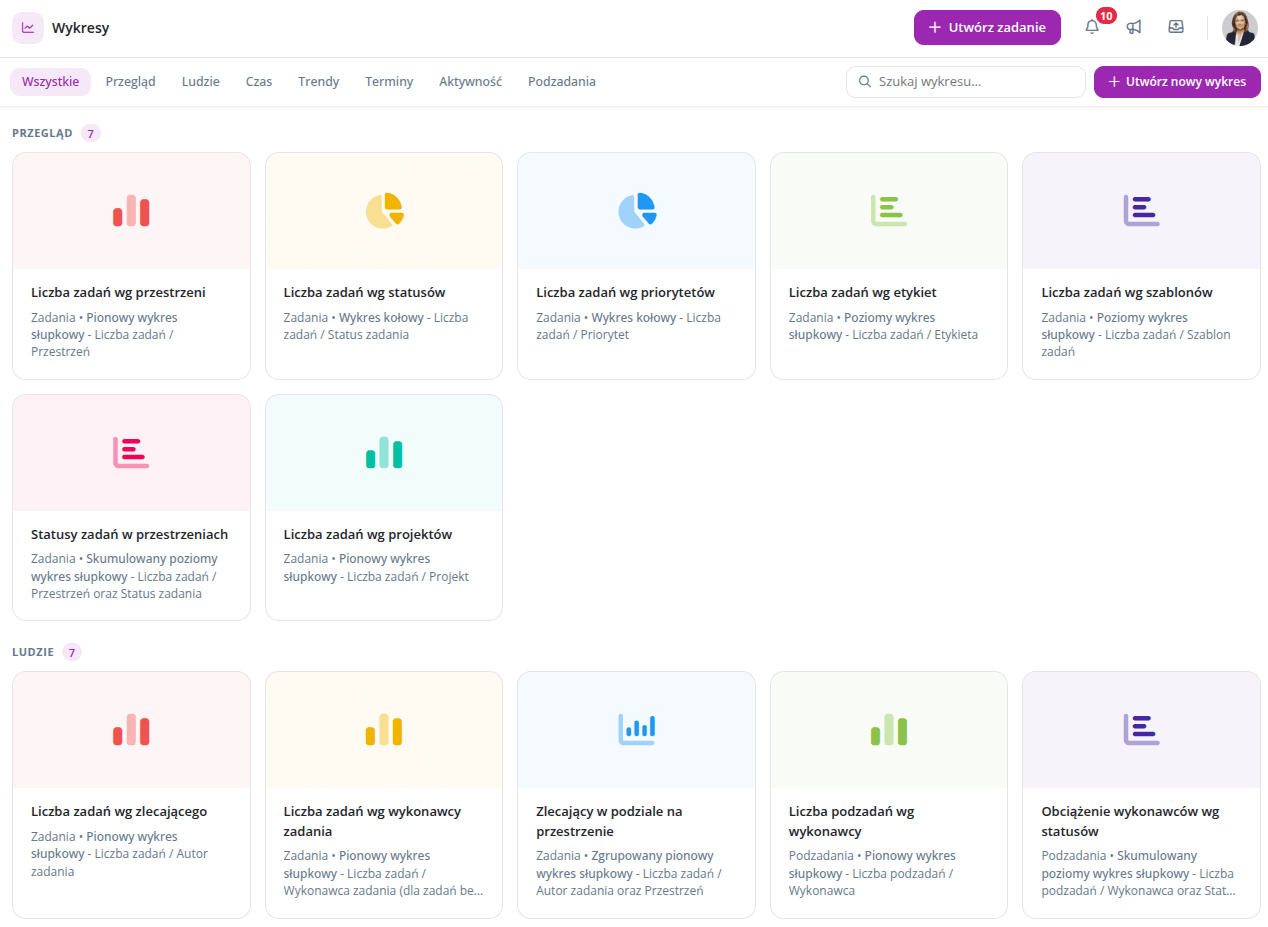
The Charts module replaces the former Reports. Charts now have their own page with a gallery instead of a modal window.
- pre-built chart templates,
- saving custom charts,
- duplicating and sharing charts with others,
- exporting to Excel and image formats.
New dashboard widgets
You can add two new widgets to your dashboard:
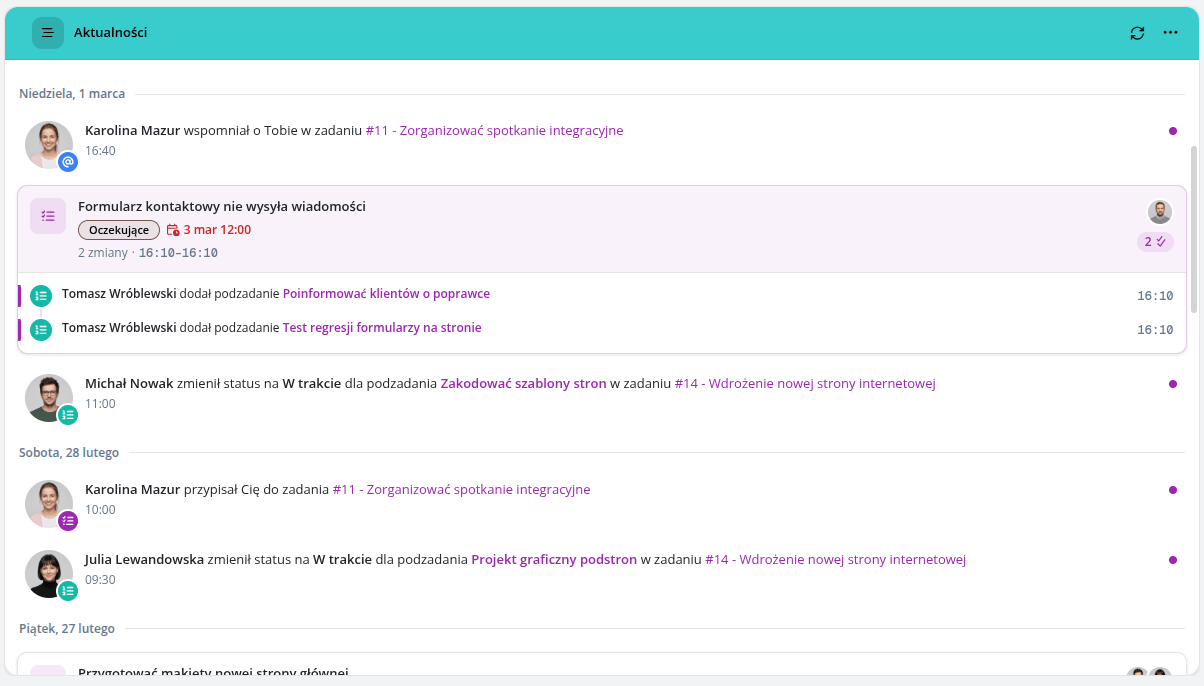
- News: your activity feed grouped by tasks. You can group updates daily or weekly and show the task due date and label in the group header,
- Calendar: events from selected calendars.
Revision history in TO-DO and Notes widgets
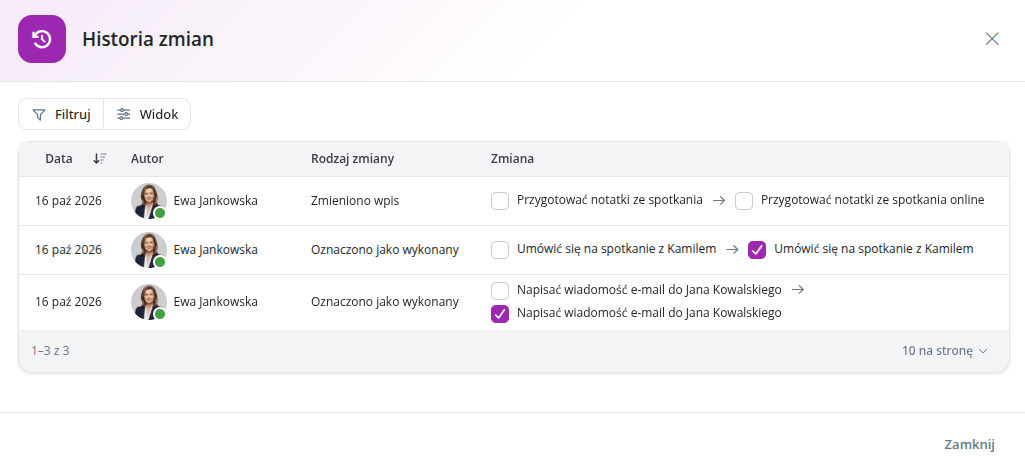
The TO-DO and Notes widgets now record revision history: adding, deleting, editing, and checking off items, reordering, moving between widgets, and editing notes. A before-and-after preview is available for every change.
You can undo up to your 10 most recent changes.
If content was modified elsewhere, such as on a second device, your save will not overwrite it. The widget will preserve your version and let you copy it.
New filter panel and View menu
Lists feature a new filter panel with a filter search bar. You can group filters by category (People, Statuses, Task, Time, Custom fields, Additional filters, Other) and set a custom group order.
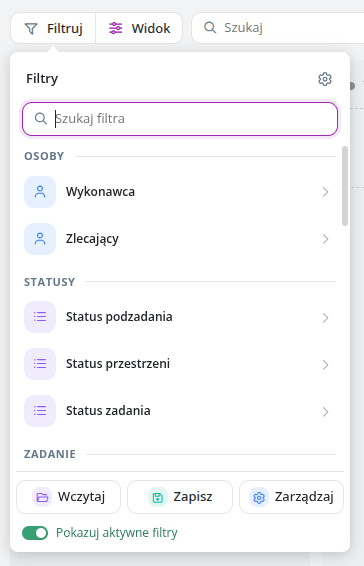
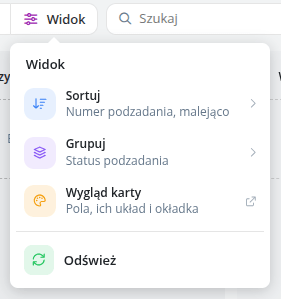
The View menu brings layout (list or cards), sorting, grouping, visible columns, and card appearance (fields, layout, cover) together in one place.
Management in one place
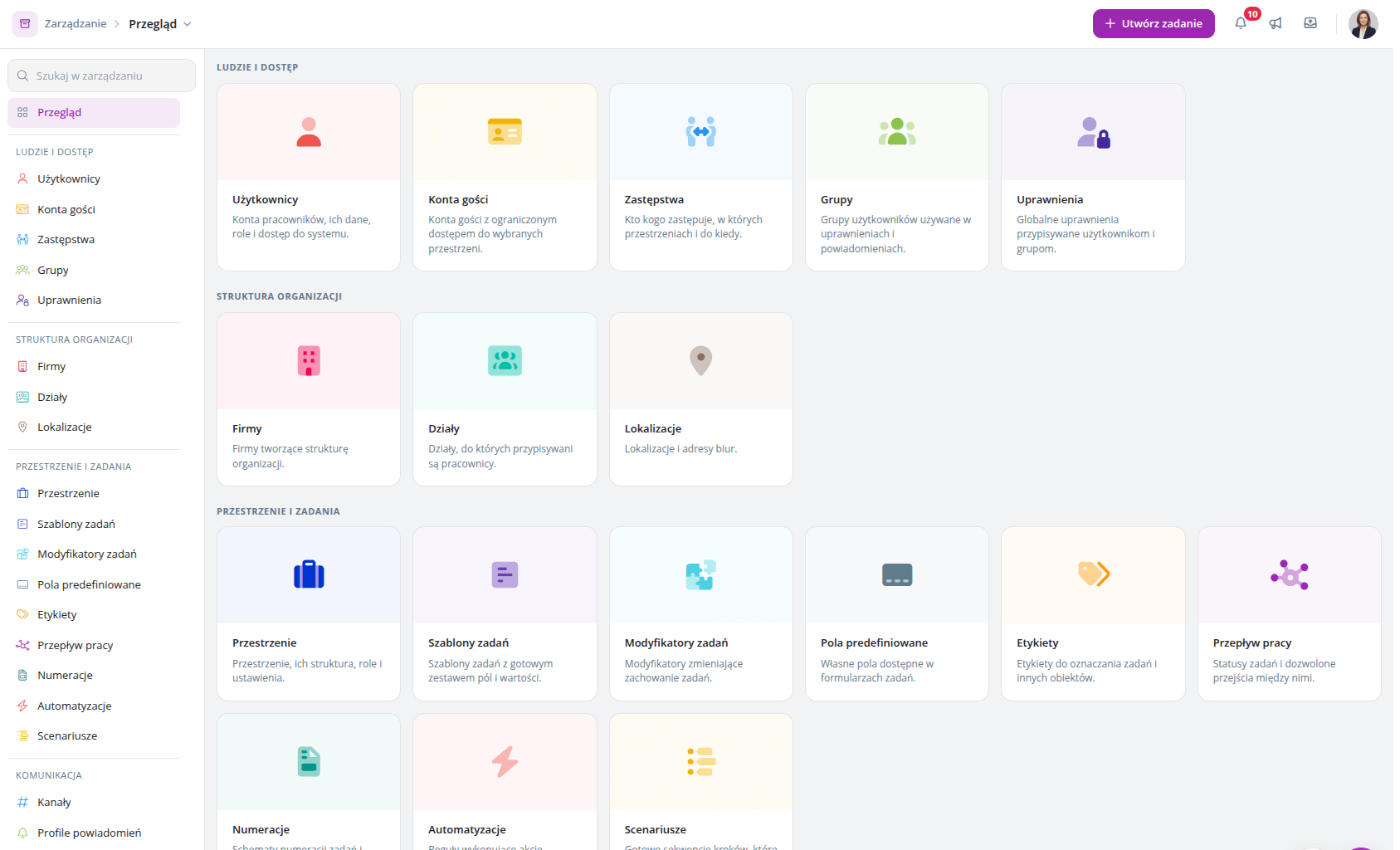
Instead of multiple separate items in the sidebar, there is now just one: Management. It leads to a page with grouped tiles, a search bar, and left-hand navigation. Old URLs redirect to the new pages.
New screens have also been added:
- Custom Statuses, with names in every supported application language,
- Translations, allowing custom names for task and subtask statuses, priorities, and space statuses,
- Work Calendar and General Settings as standalone pages.
User profile
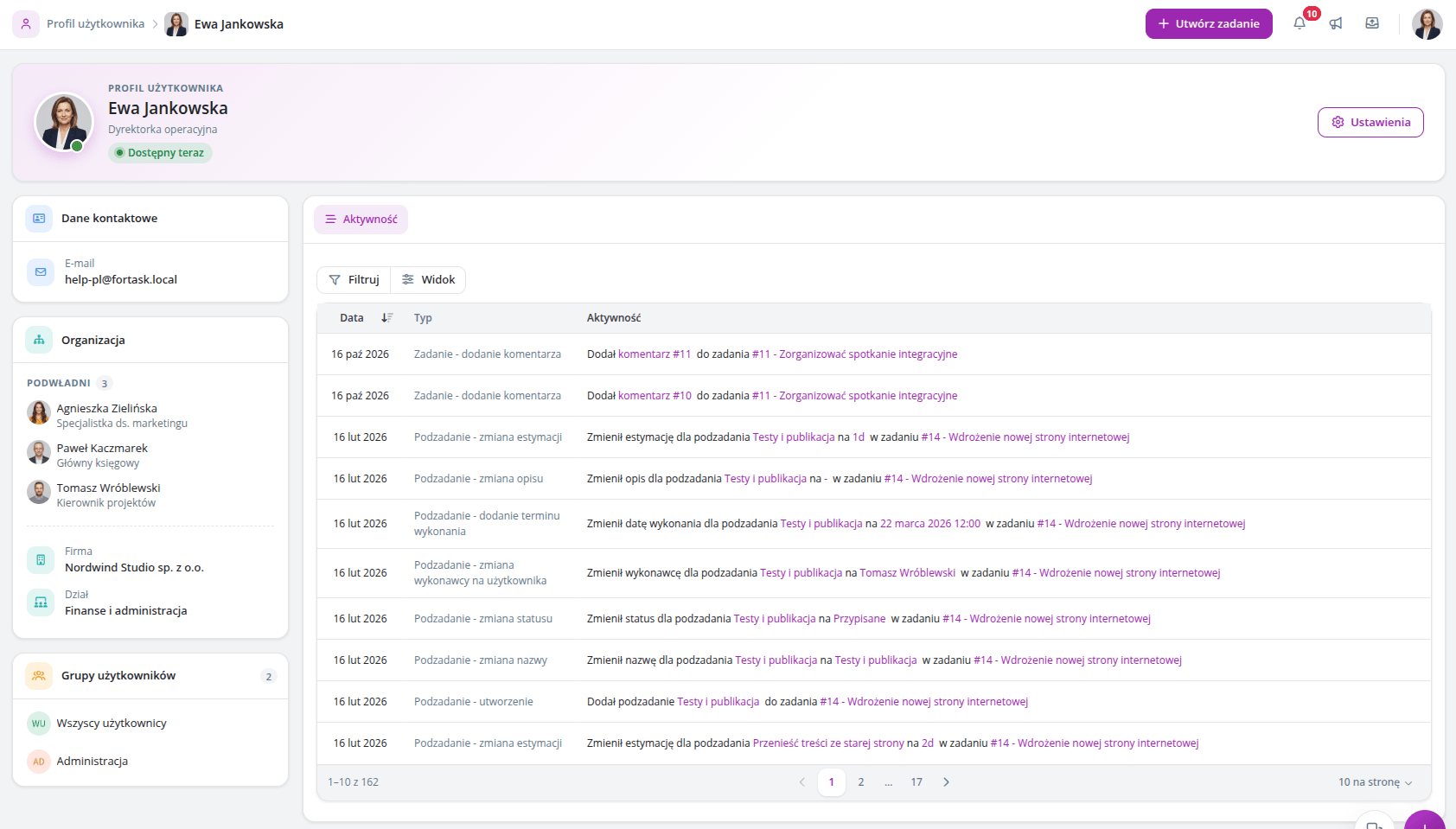
The profile is now a standalone page instead of a modal window. Inside, you will find the About Me and Organization sections, availability status, and an Activity tab.
Service statistics and file cleanup
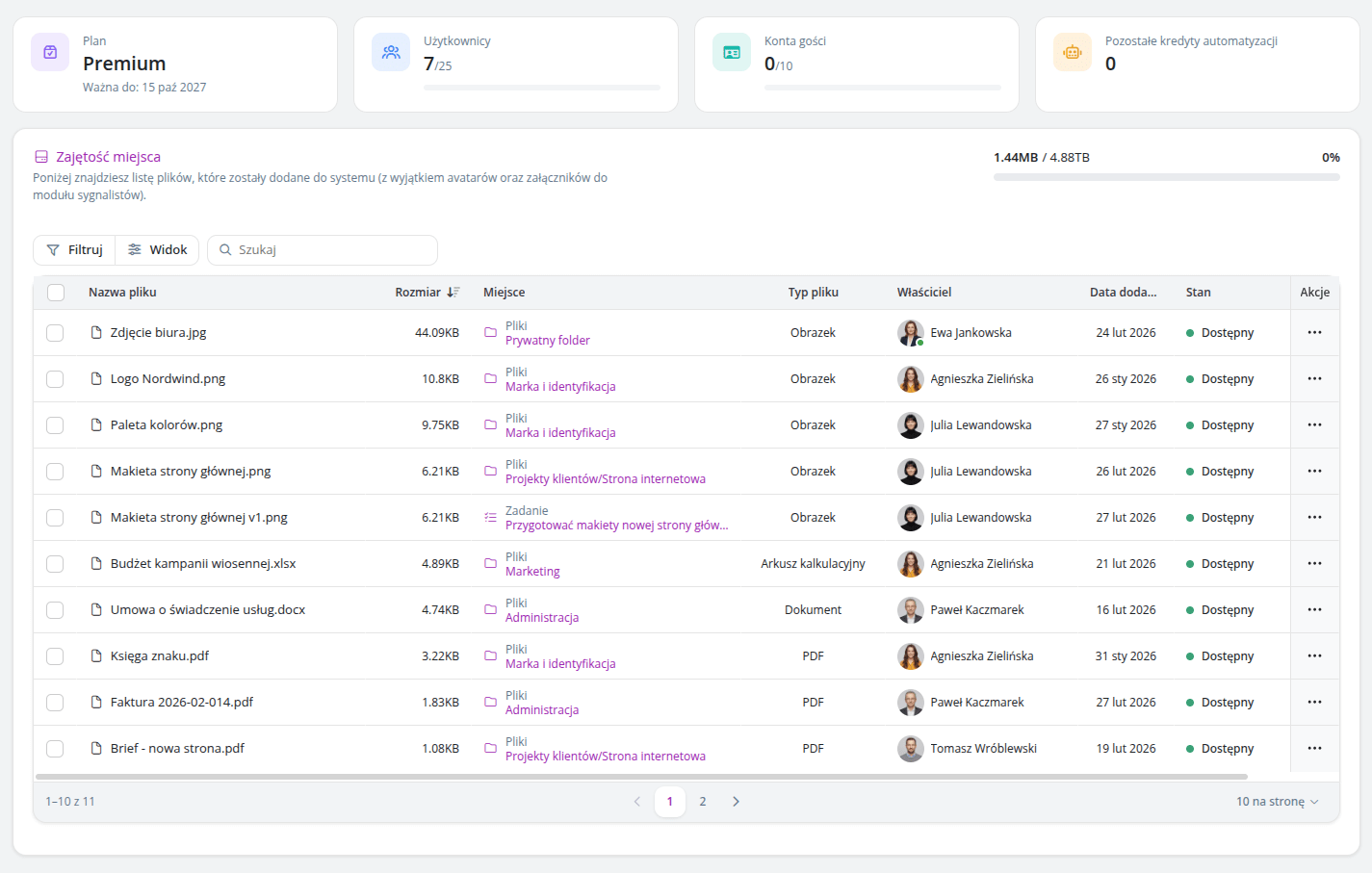
The new Service Statistics panel shows storage usage and a list of the largest files.
Administrators can delete files individually or in bulk, with an entry preserved in the history log. When storage runs low, the application displays a warning.
Attachments
- Attachments can be replaced with a new file, and the update is logged in the task history.
- An attachment can be set as the task cover. A new setting allows this to happen automatically when the first attachment is added.
- The file list shows where each file is used and what shared links exist for it.
Notifications
For each channel, you can configure individually what updates you want to receive and through which method.
For each space, you can also see where its notification settings originate: from global settings, an override for that specific space, or a notification profile.
A new notification alerts you whenever a comment is edited in a task or subtask.
Calendar
The calendar has a refreshed look: a calendars sidebar, a toolbar pinned during scroll, and redesigned modals for events, calendars, and sharing.
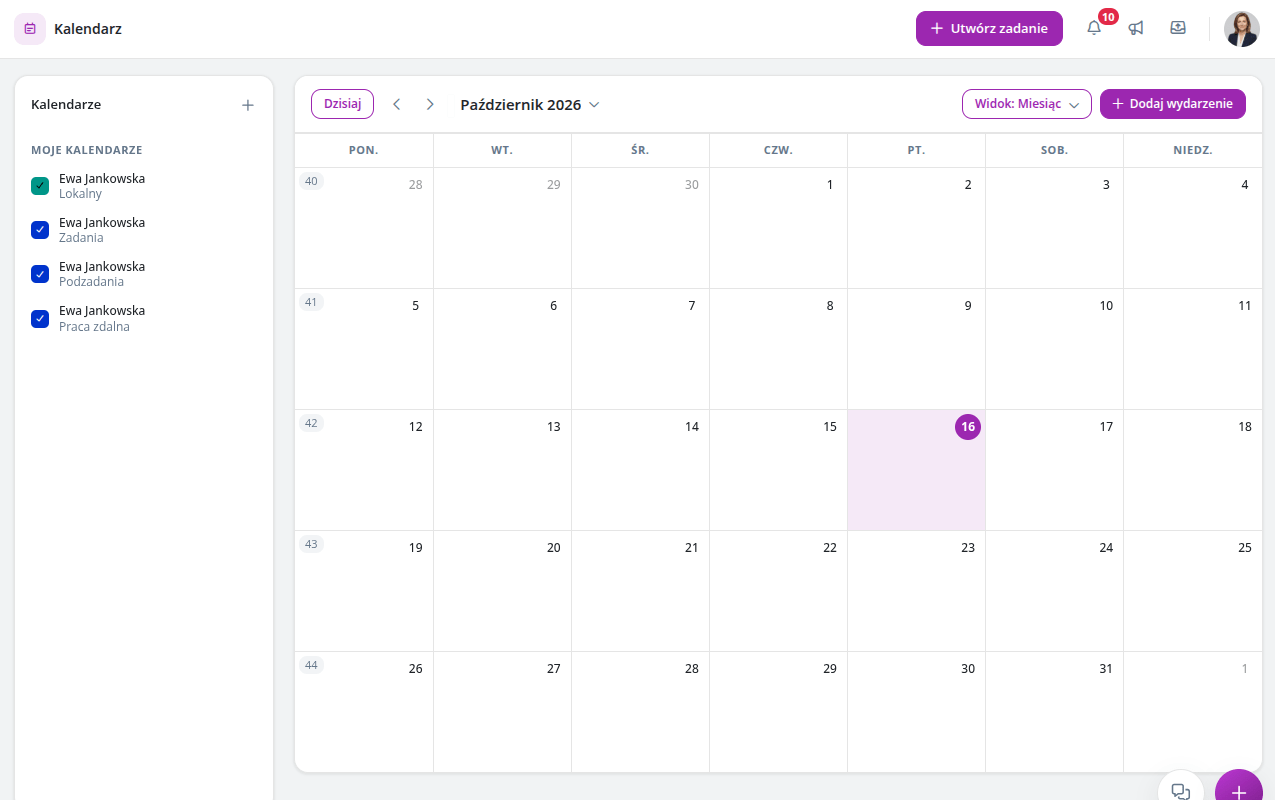
Calendar subscriptions in external apps (via ICS link) now properly handle time zones, all-day events, and reminders.
